Save from anywhere
Use the share sheet, paste a link, or import a recipe from a photo, screenshot, or video.
 Ramekin
Your recipe inbox
Links, screenshots, videos, scribbled notes — Ramekin gathers the mess into one calm place, shapes each into a clean draft, and helps you decide what is worth cooking tonight.
Now available for iPhone and iPad · Free to download with in-app purchases
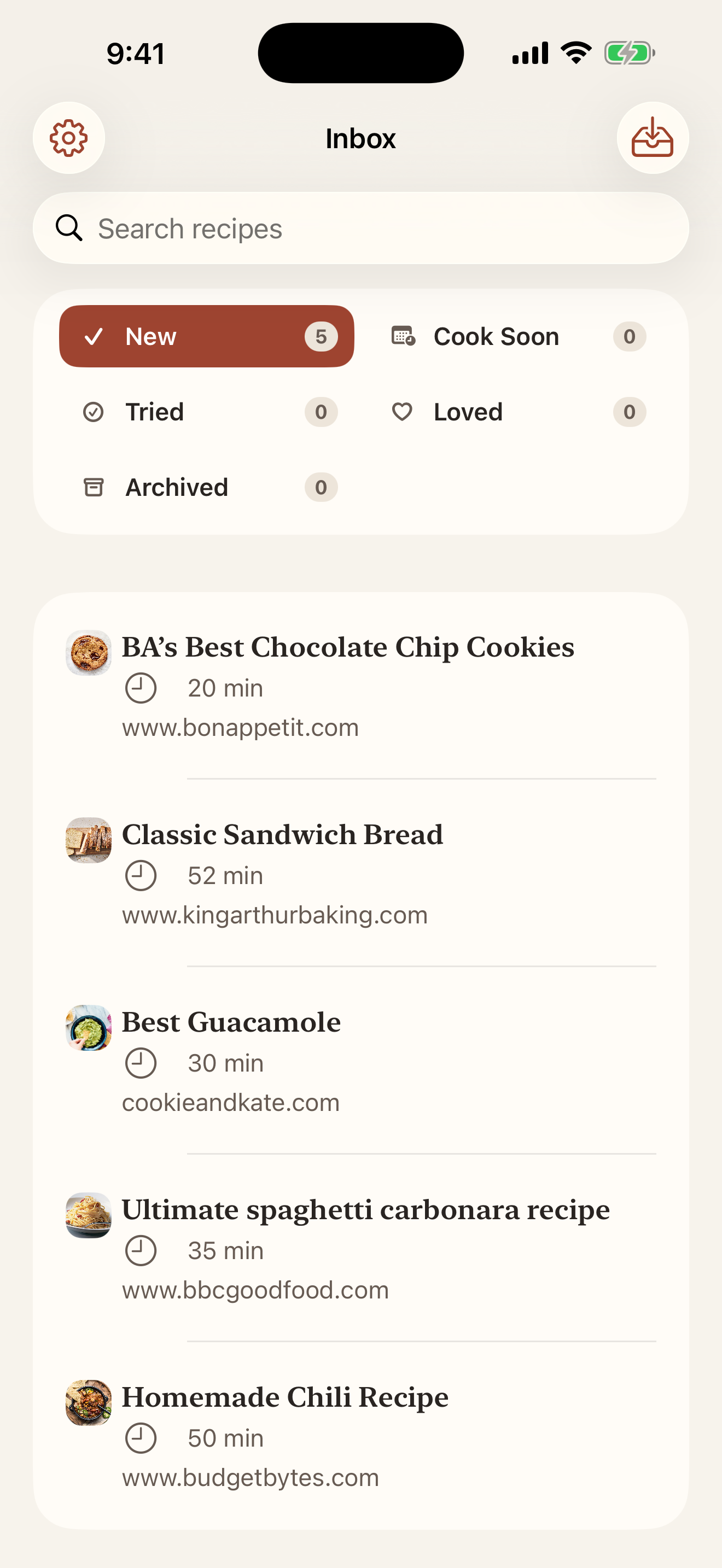
Capture without the clutter
Save first. Ramekin keeps the source attached and gives you a useful draft to review.
Use the share sheet, paste a link, or import a recipe from a photo, screenshot, or video.
Keep ingredients, steps, timing, and the original source together without losing context.
Move recipes through New, Cook Soon, Tried, and Loved instead of maintaining folders.
A lighter workflow
Share or import the recipe in the format you already have.
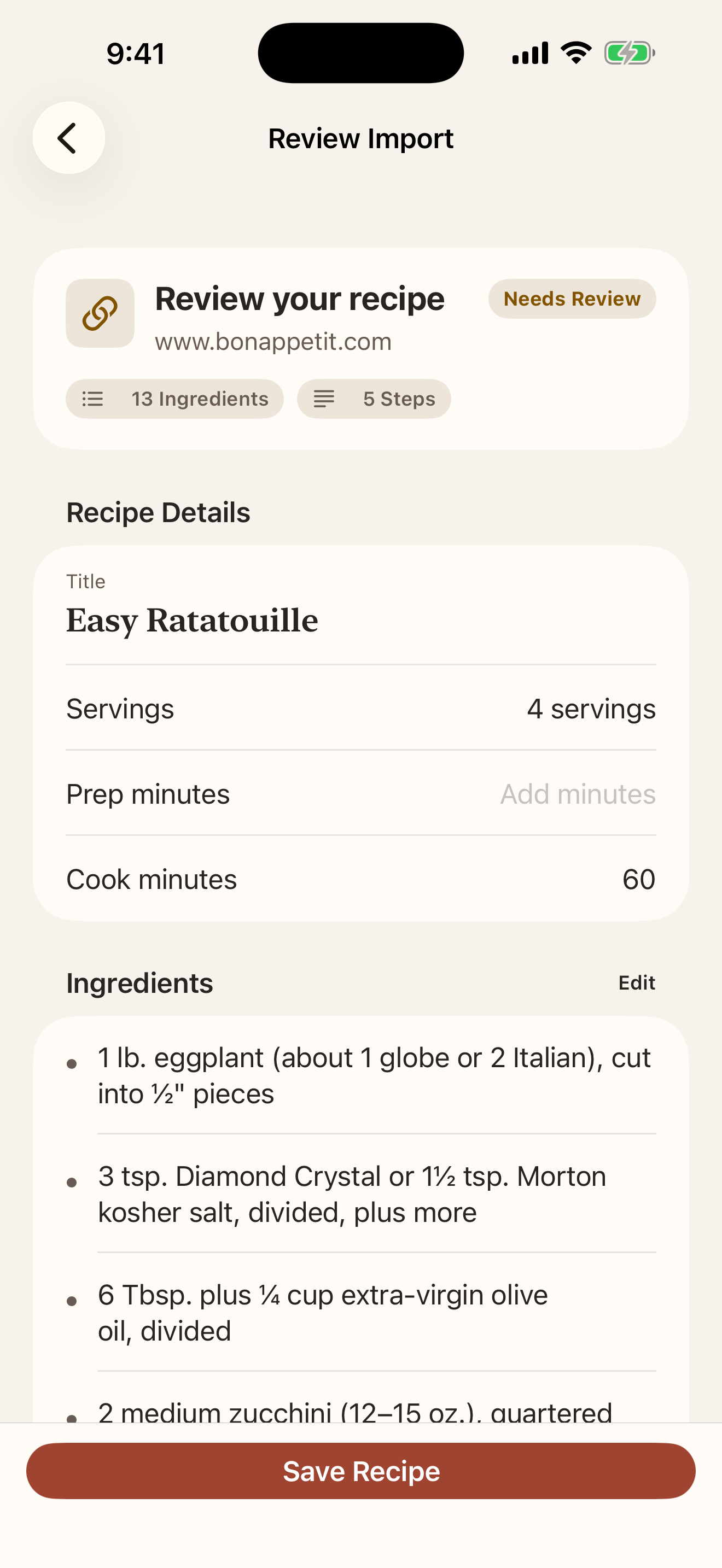
Review the draft, correct anything that needs attention, and preserve the source.
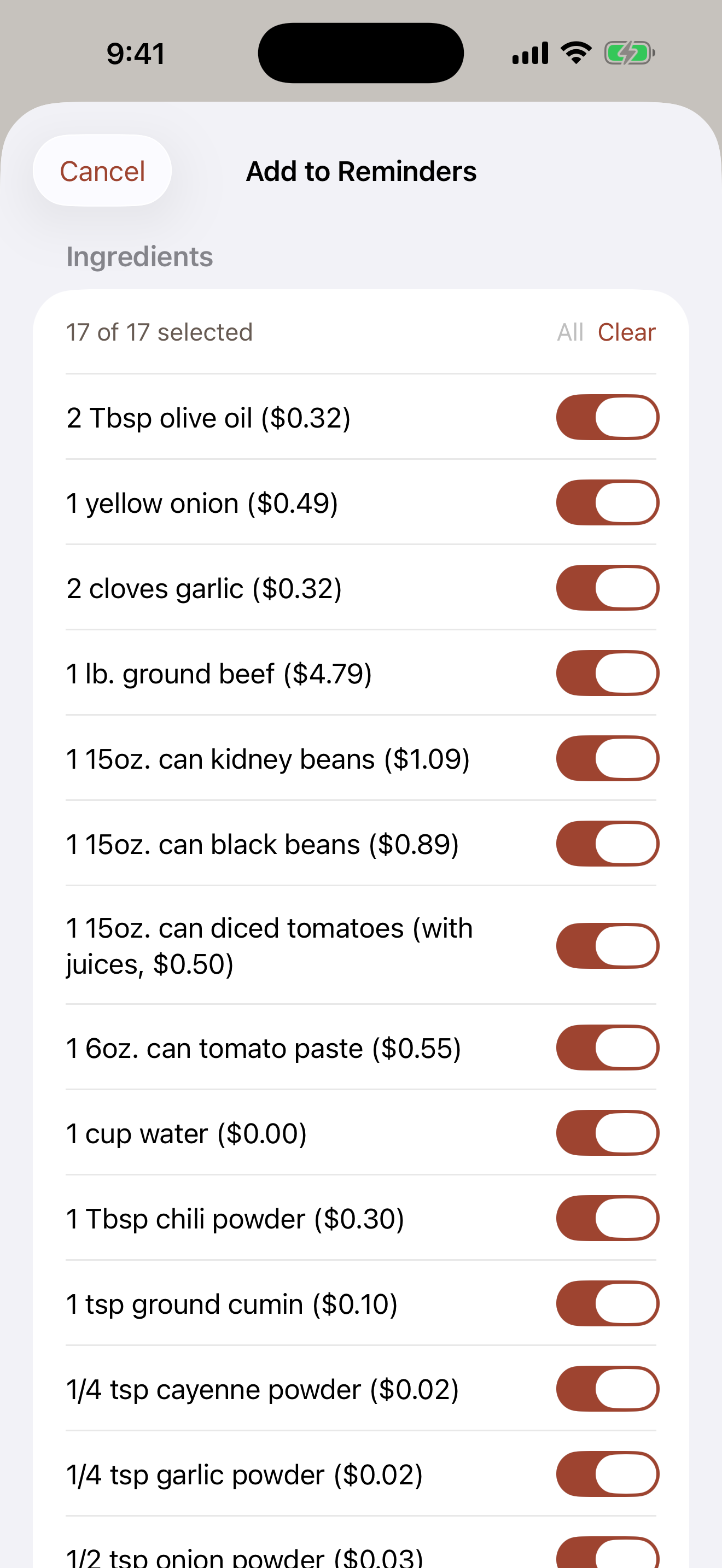
Find it later, track what you loved, and send ingredients to Apple Reminders.
A closer look
From the first draft to your grocery list, keep the next step simple.
Check the ingredients, adjust the details, and keep the original source close.
Choose the ingredients you need and send them straight to Apple Reminders.
Private by default
Your library lives on your device and, if you choose, in your private iCloud. Optional analytics and AI cleanup are controlled by you.
Read the privacy policyNo public profile or recipe feed.
Analytics is opt-in.
AI cleanup shows what will be sent before you approve it.